Download TikTok videos,images,musics without watermark,free
No Limits
Save as many TikTok videos as you like, with no restrictions.
No Watermark
Download TikTok videos as MP4 or remove the TikTok logo.
MP3 & MP4
Save in HD quality, or convert TikTok videos to MP4 or MP3.
Steps to Download TikTok
Follow these three simple steps to save TikTok videos quickly.
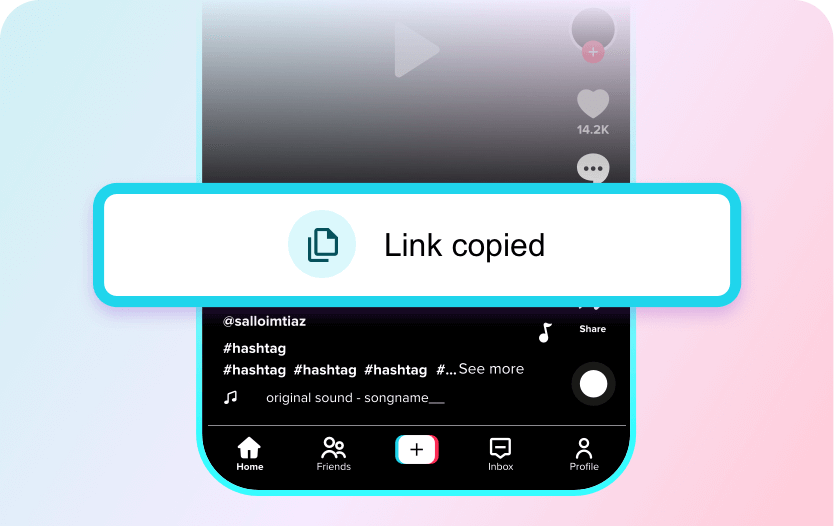
Copy the Video Link
Open TikTok on your phone, locate the video you want to download, and copy its URL.
Paste the URL
Insert the copied link into the input box on the downloader page and ensure the page has fully loaded.
Preview & Download
Press the Download button to save the video or content directly to your device.
FastTik TikTok Downloader
Download TikTok Content
Download any TikTok content without watermarks, including videos, photo slideshows, and background music (MP3), all in one place with just one click.
Completely Free and No Limits
Enjoy fast and unlimited downloads with no hidden charges. No registration or login is required. Save your favorite moments to your gallery in HD quality.
FAQ
What are the best methods to save TikTok videos and drafts for later use?
One of the easiest ways to save TikTok videos for later use is by downloading them directly to your device. While TikTok allows saving some videos inside the app, many creators prefer keeping offline copies for editing, reposting, or archiving.
A convenient solution is using an online tool like FastTik (fasttik.com). It allows you to paste the TikTok video link and download the video instantly without watermark. This makes it easy to store your favorite videos or drafts on your phone or computer and reuse them later when needed.
Are there any apps or tools that allow offline access to TikTok content?
Yes, several tools allow you to access TikTok content offline by downloading videos directly to your device. Online downloaders are often the most convenient because they don’t require installing additional apps.
For example, FastTik is a web-based TikTok downloader that works on phones, tablets, and computers. By simply copying the TikTok link and pasting it on fasttik.com, you can download videos in HD format and watch them anytime—even without an internet connection.
What are the best methods to download TikTok videos for offline viewing?
The most common way to download TikTok videos is through a dedicated TikTok downloader. These tools let you save videos in MP4 format so they can be viewed offline.
A popular option is FastTik, which allows unlimited TikTok downloads without watermark. Just copy the TikTok video link, paste it into the FastTik website, and choose to download the video in HD MP4 format. Once downloaded, you can watch the video anytime without needing TikTok or an internet connection.
How can I download MP3 audio from TikTok easily?
If you want only the audio from a TikTok video, you can use an online converter that extracts the sound and downloads it as an MP3 file.
FastTik provides a simple way to do this. Paste the TikTok video link into fasttik.com, and select the MP3 option. The tool quickly converts the TikTok video into a downloadable MP3 file, making it easy to save music, voice clips, or background sounds from TikTok videos.
Are there any safe tools to download TikTok music without watermark?
Yes, there are several safe online tools designed specifically for downloading TikTok content without watermark. The key is choosing a reliable website that doesn’t require app installation or account login.
FastTik is a secure web tool that allows users to download TikTok videos and extract music without watermark. Since it works directly in your browser, you only need the video link to get the MP3 or MP4 file quickly and safely.
What are the easiest ways to download TikTok slides and wallpapers?
TikTok slideshows and visual posts can also be downloaded using online TikTok download tools. These tools capture the media files so you can save images, slides, or wallpapers from TikTok posts.
With FastTik, you simply copy the TikTok post link and paste it into the downloader. The tool processes the content and allows you to download the media files directly to your device, making it easy to save wallpapers or slideshow images from TikTok.