

FastTik logo

TikTok Video Download Without Watermark

Free online TikTok video downloader for HD MP4 files

world icon

FastTik is a free TikTok video downloader that works right in your browser. Paste a TikTok link above, and within seconds you get clean MP4 files in the best quality the video offers, without the TikTok watermark. There is no app to install, no account to create and no daily limit, so you can download TikTok videos online on your phone, tablet or computer whenever you need them.

How to Download TikTok Videos in 3 Steps

To download a video from TikTok, you only need the link. The process takes less than a minute and is the same on every device.
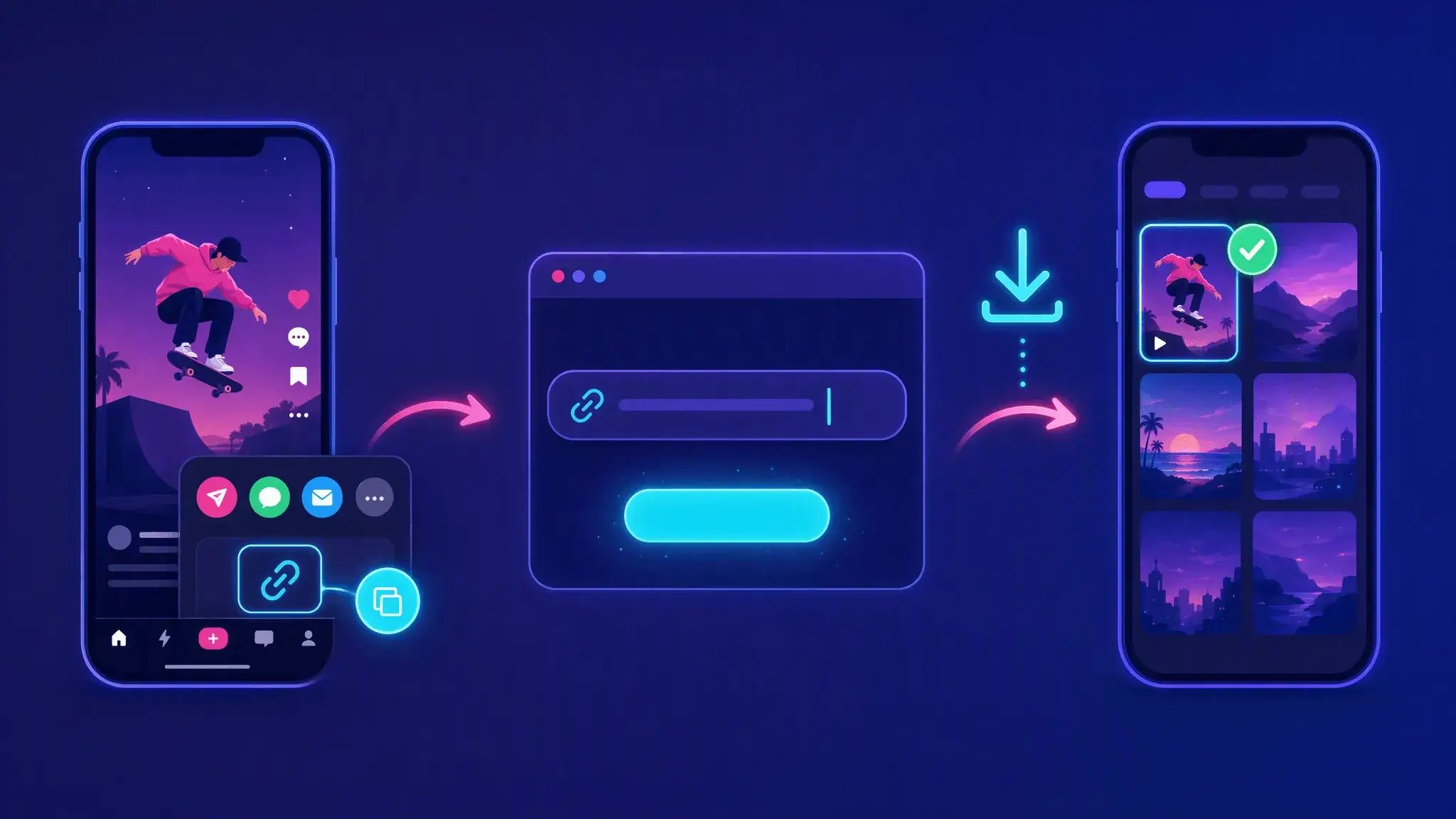
Three steps to download a TikTok video: copy the link, paste it into FastTik and save the video to your phone
  1. Copy the TikTok link

    Open the TikTok app or website and find the video you want to keep. Tap Share, then choose Copy link. On a computer, you can also copy the address straight from the browser bar.

  2. Paste it into FastTik

    Come back to this page, paste the link into the box at the top and tap Download. FastTik reads the public video and lists every file it can find, usually within a few seconds.

  3. Choose a file and save

    Pick the video option you want. The option marked HD is the highest resolution available. Tap Download next to it, and the MP4 file is saved to your device, ready to watch offline or share.

Download TikTok Videos Without Watermark

When you save a clip with TikTok's own download button, the app adds a bouncing logo and the creator's username on top of the picture. That mark gets in the way when you want to rewatch a recipe, keep a tutorial for later or edit a clip you made yourself.

FastTik fetches the original video file that TikTok streams, before the download watermark is added. The result is a clean picture from the first frame to the last, with the original sound.

  • No floating TikTok logo or username overlay
  • Original audio kept in the same file
  • Works for public videos and photo slideshows

Text, stickers or logos that a creator added while editing are part of the video itself, so they stay in the downloaded file.

Common resolutions

TikTok Video Downloader in HD Quality

FastTik lists the resolutions TikTok provides for each video, such as 540p, 720p or 1080p, and marks the highest one as HD. You see every option before you download, so you can choose between the sharpest picture and a smaller file.

  • The best possible quality depends on the original upload. A video recorded or posted in low resolution cannot become sharper after download.
  • File size depends on how the video is encoded, not only on resolution, so a lower option is not always the smallest file.

TikTok to MP4 Without a Separate Converter

As a TikTok video downloader, FastTik saves every video as an MP4 file, the most widely supported video format. It plays in your Photos or Gallery app, in VLC and QuickTime, on smart TVs and in editors like CapCut or Premiere without extra software.

Each file is named after the video caption, which makes it easy to find later. Need only the sound? The same results also include an MP3 option for the music or voice-over.

A TikTok video on a phone being saved as an MP4 video file

Download TikTok Videos Online on Any Device

FastTik runs in any modern browser, so the free TikTok video download works the same way on phones, tablets and computers.

Android phone, iPhone and laptop downloading TikTok videos
  • Android

    Use Chrome or any other browser. When the download finishes, the MP4 appears in your notifications and in the Downloads folder, and most phones also show it in the Gallery app.

  • iPhone and iPad

    Open this page in Safari and tap Download when Safari asks. The video is saved to Downloads in the Files app, where you can tap Share and choose Save Video to add it to Photos.

  • Windows and Mac

    Paste the link in Chrome, Edge, Firefox or Safari. The file goes to your Downloads folder by default, and you can move it to any folder or editing project.

TikTok Video Download FAQ

How do I download a TikTok video without watermark?
open
Copy the video link from TikTok, paste it into the box at the top of this page and tap Download. Choose one of the video options in the results and tap Download again. The MP4 you get does not include the TikTok logo or the username overlay.
Is this TikTok video downloader free?
open
Yes. FastTik is completely free to use. You do not need to sign up, log in or install an app, and there is no daily limit on how many videos you can download.
Can I download TikTok videos in HD?
open
Yes, when the original video is available in HD. FastTik shows every resolution TikTok provides and marks the highest one as HD. If a video only offers lower resolutions, it was most likely uploaded in lower quality, and no downloader can add detail that is not there.
How do I save a TikTok video as MP4?
open
You do not need an extra TikTok to MP4 converter. Every video option on FastTik is delivered as an MP4 file, so it is ready to play or edit as soon as the download finishes.
Where can I find the downloaded video?
open
On Android, check the Downloads folder or the Gallery app. On iPhone, open the Files app and look in Downloads, then use Share and Save Video to move it to Photos. On Windows and Mac, the file is in your Downloads folder unless you changed the browser's download location.
Why can't FastTik find my video?
open
Make sure you copied the full link of a single video and that the video is still online. Extra text around the link, deleted videos or an unstable connection can cause an error. Clear the input box, paste the link again and retry. If it still fails, wait a few minutes and try once more.
Can I download private TikTok videos?
open
No. FastTik can only access videos that anyone can watch without logging in. Private, friends-only or deleted videos cannot be downloaded. Please save only content you own or have permission to use, and respect the creator's rights.

Ready to Save Your Next TikTok?

Copy a TikTok link, paste it at the top of this page and download the MP4 in seconds.

Paste a TikTok Link